✦ Free · No ads · No tracking

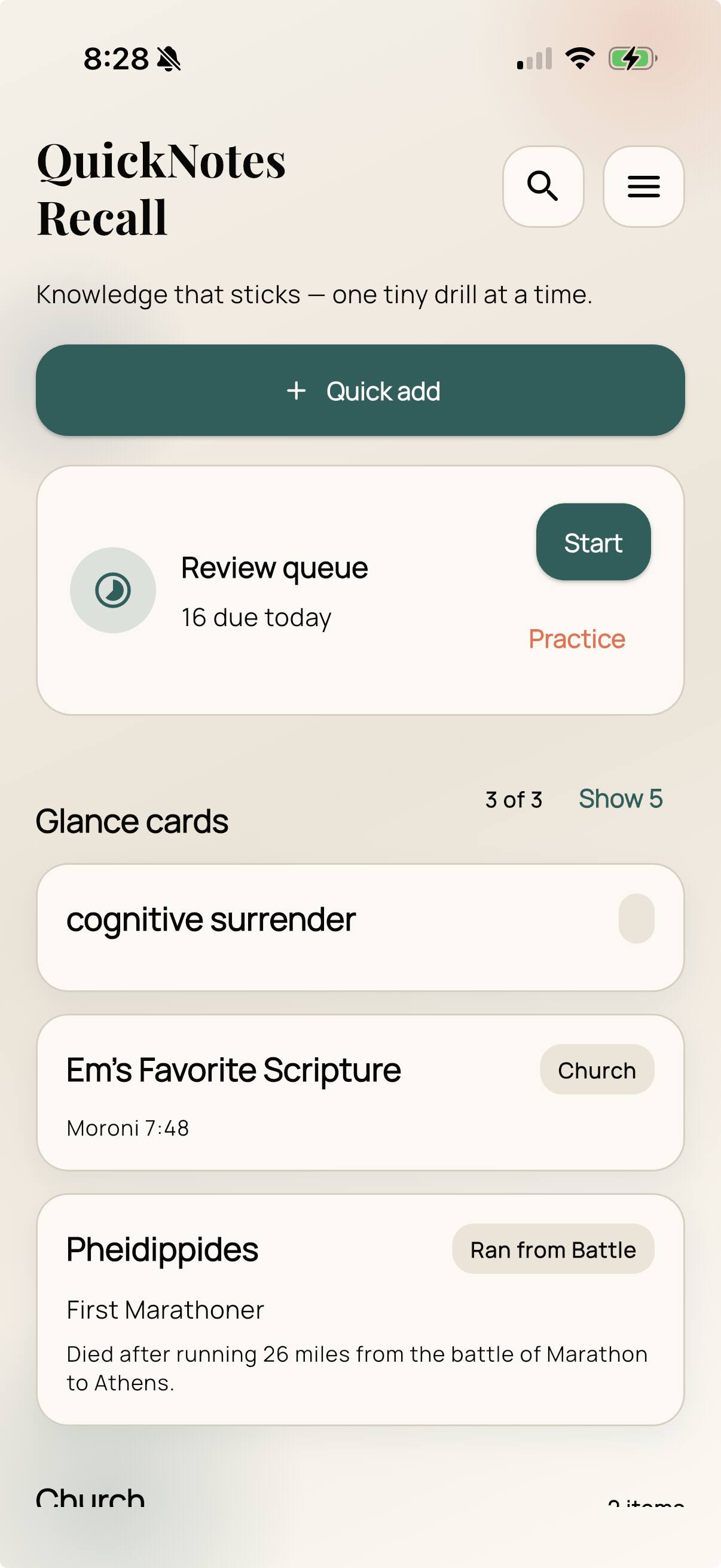
Knowledge that sticks — one tiny drill at a time.

QuickNotes Recall uses spaced repetition and the interleaving method to make anything permanently memorable — names, vocabulary, history, science, languages, and more.
QuickNotes
Recall
🔍
Knowledge that sticks — one tiny drill at a time.
+ Quick add
Review queue
8 due today
Start
Glance cards
María González
Dev Summit, March 2026
work
networking
Ephemeral
Butterfly of smoke 🦋
vocabulary
Battle of Hastings
1066 — "England gets a French accent"
history

🔒 We will never track your data. Everything stays on your device — no accounts, no analytics, no ads. Ever.

One app. Anything worth knowing.

QuickNotes Recall works for every category of knowledge — not just flashcards.

👥
People & Names Never forget a face, a name, or how you met
🌍
Languages Vocabulary, grammar, phrases — any language
📜
History Events, dates, causes, and significance
🔬
Science Concepts, formulas, and terminology
📚
Study & Exams Turn any notes or textbook into quizzes
💼
Professional Clients, industry terms, processes
🎵
Arts & Culture Artists, composers, works, movements
Anything Else Custom categories with your own field labels

Everything you need. Nothing you don't.

A focused set of tools built around a single goal: making your reviews as effective as possible.

⏱️

Spaced Repetition

After every rating, the app calculates the perfect next review date — stretching intervals as your confidence grows.

🔀

Interleaving

Review sessions mix cards from all your categories automatically. Harder in the moment, dramatically better long-term.

🪝

Anchor Coaching

Built-in coaching with examples helps you craft vivid memory anchors — the key ingredient most apps miss entirely.

📥

Bulk Import

Paste any list, open a CSV, or share text directly from another app. Cards are parsed and created in seconds.

↩️

Undo Last Rating

Tapped the wrong button? An undo feature truly reverses your last rating — schedule and all.

🎯

Session Limits

Set a daily card cap so your queue never feels overwhelming after time away. 10, 20, 30, or unlimited.

🏷️

Tags & Categories

Organize with custom categories and tags. Filter and search across everything at once or drill a single topic.

💾

JSON Backup

Export your full library — cards and review history — any time. Restore instantly on a new device.

🎨

Fully Customizable

Light, dark, or system theme. Custom accent colors, text size, and contrast. Your app, your rules.

Why QuickNotes Recall actually works.

This isn't another flashcard app. The engine under the hood is built on decades of cognitive science.

📈

Spaced Repetition

Hermann Ebbinghaus described the "forgetting curve" in 1885: without reinforcement, we lose most new information within days. His insight — and the insight behind all modern spaced repetition — is that reviewing something just before you'd forget it strengthens the memory trace far more than reviewing it while it's still fresh.

QuickNotes Recall uses a variant of the SM-2 algorithm. After you rate a card Remembered, Unsure, or Forgot, the next review date is calculated automatically — days, weeks, or months away depending on your history with that card. The stronger your recall, the longer the interval.

🔀

Interleaving

Most apps let you drill one subject at a time — first all your vocabulary, then all your history. This feels productive because each review feels easy. But research by Rohrer, Taylor, and others shows it produces an illusion of learning: performance looks good in the session but collapses on later tests.

Interleaving — switching between subjects mid-session — forces your brain to retrieve actively without the shortcut of recent context. It's harder, and test scores suffer short-term. But retention at 1 month and 6 months is substantially higher. QuickNotes Recall mixes your categories automatically when you review all at once.

🧪

Retrieval Practice Effect

Henry Roediger III's research established that testing yourself on material is more effective for retention than re-reading or re-studying it — even when the test is difficult. The act of retrieving a memory strengthens it more than passively exposing yourself to it again.

This is why QuickNotes Recall asks you to recall before revealing, and why the Prompt mode in Practice sessions hides the answer. Struggling to remember is the point. That productive struggle is where the learning happens.

🪝

Elaborative Encoding & Anchors

Craik and Lockhart's "levels of processing" framework showed that deeply processed information — connected to vivid imagery, personal experience, or emotion — is retained far longer than shallow, rote information.

The Anchor field in every card is a direct application of this. A memorable image, a personal story, or a ridiculous mnemonic engages more of the brain during encoding and creates more retrieval cues at recall time. The more unusual and personal, the better it works.

💡

The bottom line: A 5-minute daily review session with QuickNotes Recall — using interleaved, spaced retrieval practice — will produce better long-term retention than an hour of re-reading notes. Not because of the app. Because of the way human memory actually works. The app just makes it effortless to do it right, every day.

2–3×

better retention with spaced repetition vs. massed study

~50%

more material retained when retrieval practice is used

5 min

per day is all it takes to maintain a large, growing library

Up and running in minutes.

QuickNotes Recall is built to be fast to start and even faster to use daily.

1

Add your first cards

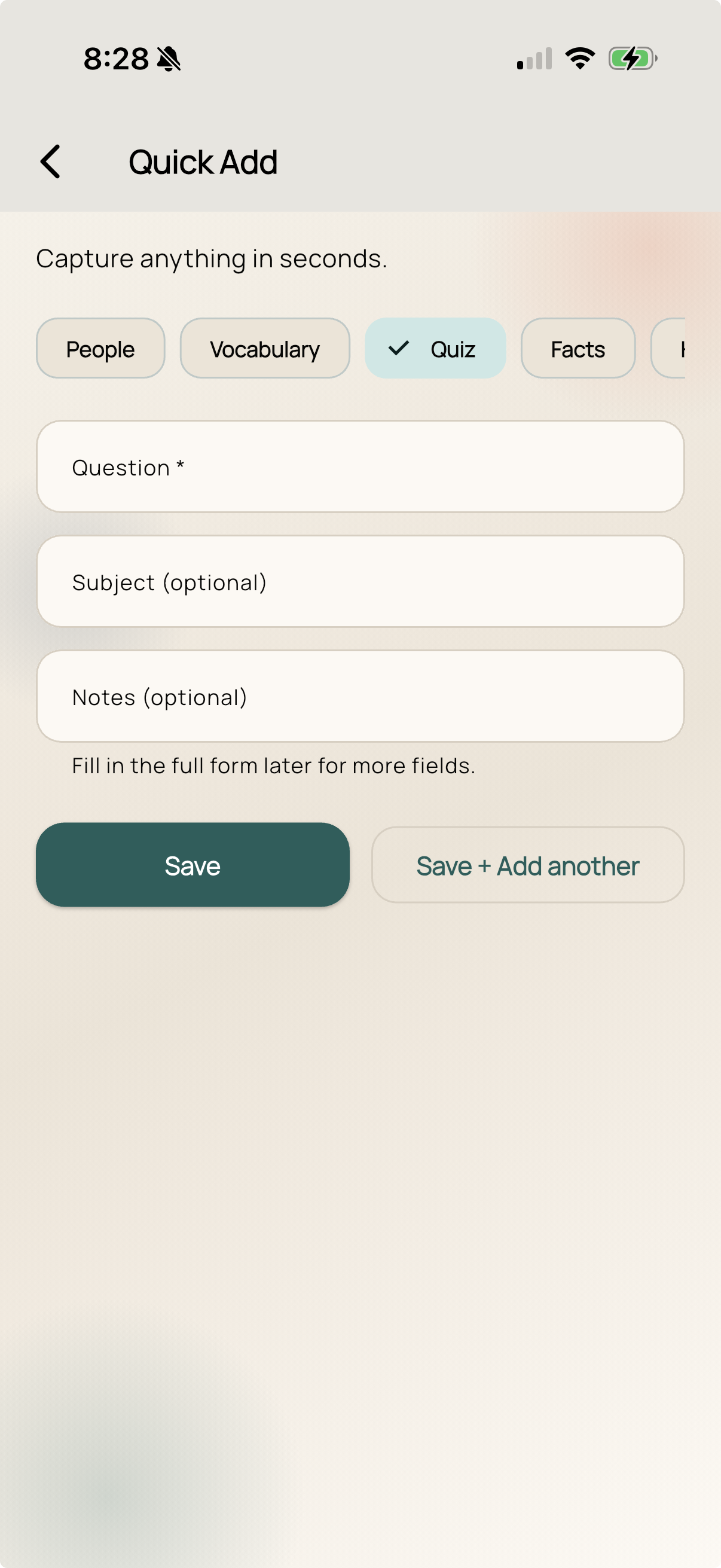
Tap Quick Add on the home screen. Give each card a name/term, some context (where, when, or why it matters), and an optional anchor — a vivid image or story that makes it unforgettable. Or import a whole list at once with Bulk Import.

2

Come back the next day

The Review Queue on the home screen will show how many cards are due. Tap Start, choose all categories (the interleaving is the point), and work through them one at a time.

3

Rate each card honestly

For each card, tap Remembered, Unsure, or Forgot. Be honest — the algorithm uses your ratings to schedule the next review. Marking things "remembered" when you half-remembered them tricks the system into spacing them out too far.

4

Keep adding. Keep reviewing.

The magic compounds over time. Cards you know well drift to once-a-month reviews. New cards stay close until you're solid. Within weeks, you'll hold a library of hundreds of items with almost no effort.

5

Tune it to your life

Set a session card limit if you don't want to face a huge queue. Enable a daily reminder. Create custom categories with your own field names. Export a backup whenever you like.

🌟 Tips from memory science

📅

Daily beats weekly. 5 minutes every day is dramatically more effective than 35 minutes once a week. Spacing is everything.

🎭

Vivid anchors win. "Reminded me of my uncle — same huge handshake" sticks better than "friendly, tall." The more personal, the better.

🔀

Always review all categories together. Mixing topics feels harder. That difficulty is exactly what builds durable memory.

Add cards in the moment. Right after meeting someone, right after looking up a word. The encoding is stronger when the experience is fresh.

🎯

Short notes, not essays. The card is a retrieval cue, not a textbook. Keep fields short; the goal is to trigger your memory, not replace it.

🔒

We will never track your data.

QuickNotes Recall stores everything — your cards, your review history, your schedule — entirely on your device. There are no servers. No accounts. No syncing to the cloud. No analytics. No ads. No third parties of any kind.

We built this app to help you learn, not to monetize your behavior. Your memory is yours.

Read our full Privacy Policy →
📱
100% On-Device All data lives on your phone, never on our servers
🚫
No Analytics Zero third-party trackers, SDKs, or telemetry
💚
Free Forever No subscription, no ads, no premium upsell

Start remembering everything.

Free to download. No account. No ads. Just learning.