QuickNotes Recall uses spaced repetition and recall practice to help you remember the things that matter: names, vocabulary, history, science, languages, and more.
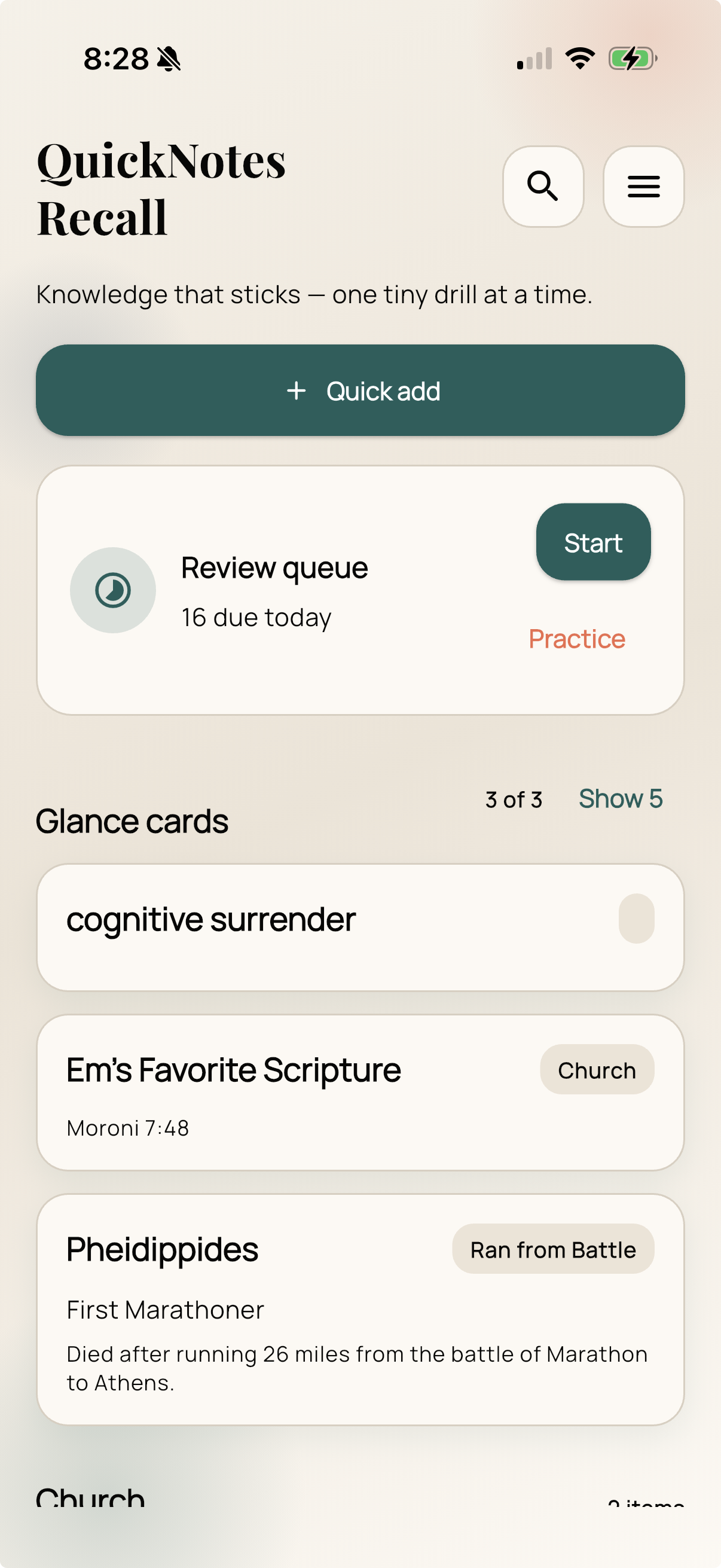
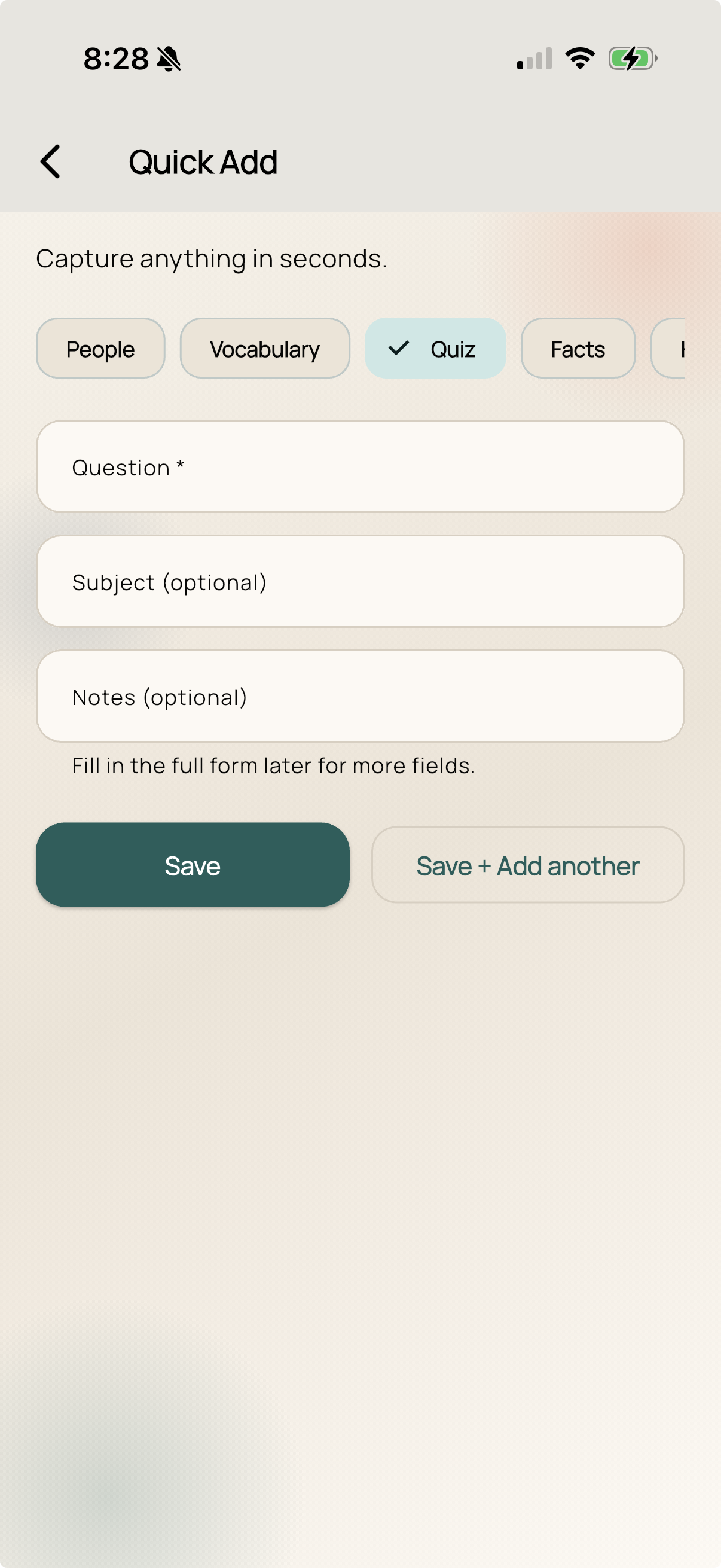
QuickNotes Recall works for every category of knowledge, not just flashcards.
A focused set of tools built around a single goal: making your reviews as effective as possible.
After every rating, the app calculates the perfect next review date, stretching intervals as your confidence grows.
Review sessions mix your categories by default. It feels harder in the moment and tends to help most when topics look alike. Prefer one subject? Review one category at a time.
Built-in coaching with examples helps you craft vivid, personal memory anchors: a picture or story that gives you something to hang each card on.
Paste a list, open a CSV, share text from another app, or import contacts from a vCard or Google Contacts export. Cards are created in seconds.
Tapped the wrong button? An undo feature truly reverses your last rating, schedule and all.
Cap how many cards each session shows so your queue never feels overwhelming after time away, from 10 to 100 cards, or unlimited.
Organize with custom categories and tags. Filter and search across everything at once or drill a single topic.
Export a single file with your cards, photos and streaks, and restore it on a new device. Choose how often automatic on-device snapshots run, how many to keep, and delete them any time. Optional backup reminders.
Turn on a daily nudge at the time you choose. It only fires on days when cards are actually due. Off by default.
Set a daily goal, keep a streak, and see your upcoming load, stubborn cards and the ones you've mastered.
Add a photo to any card: handy for faces and places. Photos stay on your device and are included in your backup file.
Light, dark, or system theme. Custom accent colors, text size, and contrast. Your app, your rules.
The engine under the hood rests on well-studied findings in memory research, and we'll be upfront about where the evidence is thinner.
Very well supported. Hermann Ebbinghaus described the "forgetting curve" in 1885: without reinforcement, we forget new information quickly. Decades of research since (for example Cepeda et al., 2006) shows that spreading reviews over time beats cramming them together, and that reviewing something around the time it would otherwise start to fade works especially well.
QuickNotes Recall uses a variant of the SM-2 algorithm. After you rate a card Remembered, Unsure, or Forgot, the next review date is calculated automatically: days, weeks, or months away depending on your history with that card. The stronger your recall, the longer the interval.
Helpful in some situations. Many apps let you drill one subject at a time. That feels smooth, and research by Kornell and Bjork (2008) suggests the smoothness can be misleading: mixing things up feels harder but often works better, especially when you need to tell similar things apart.
This is one of the less settled findings. A 2019 meta-analysis (Brunmair & Richter) found interleaving helped most for visual categories such as paintings, and was neutral to negative for word-based material. So treat it as a bonus, not a magic trick. QuickNotes Recall mixes your categories by default, and you can always review one category at a time.
Very well supported. Research by Henry Roediger III and Jeffrey Karpicke (2006) found that testing yourself on material improves long-term retention more than re-reading it. Trying to retrieve a memory strengthens it more than passively seeing it again.
This is why QuickNotes Recall keeps the answer hidden until you've had a go. Struggling to remember is the point: even a wrong guess helps, and that effort is where much of the learning happens.
Well supported. Craik and Lockhart's "levels of processing" framework showed that information you think about deeply (connecting it to imagery, personal experience, or meaning) is remembered better than information you only repeat. Mnemonic research such as Atkinson and Raugh (1975) found that vivid keyword images helped people learn foreign vocabulary.
The Anchor field in every card applies this. A memorable image or personal story gives you more to retrieve from later. Anchors you invent yourself tend to work better than ones you're handed, and concrete, interactive pictures beat abstract ones.
The bottom line: Short, regular, spaced reviews beat cramming, and trying to recall beats re-reading. QuickNotes Recall won't give you a perfect memory (nothing does), but it makes doing the effective thing easy enough to do every day.
Cepeda, Pashler, Vul, Wixted & Rohrer (2006). Distributed practice in verbal recall tasks: A review and quantitative synthesis. Psychological Bulletin, 132(3), 354–380.
Roediger & Karpicke (2006). Test-enhanced learning: Taking memory tests improves long-term retention. Psychological Science, 17(3), 249–255.
Atkinson & Raugh (1975). An application of the mnemonic keyword method to the acquisition of a Russian vocabulary. Journal of Experimental Psychology: Human Learning and Memory.
Kornell & Bjork (2008). Learning concepts and categories: Is spacing the "enemy of induction"? Psychological Science, 19(6), 585–592.
Brunmair & Richter (2019). Similarity matters: A meta-analysis of interleaved learning and its moderators. Psychological Bulletin, 145(11), 1029–1052.
QuickNotes Recall is built to be fast to start and even faster to use daily.
Tap Quick Add on the home screen. Give each card a name/term, some context (where, when, or why it matters), and an optional anchor: a vivid image or story that makes it easier to remember. Or import a whole list at once with Bulk Import.
The Review Queue on the home screen will show how many cards are due. Tap Start and work through them one at a time. Sessions mix your categories by default, or you can review a single category.
For each card, tap Remembered, Unsure, or Forgot. Be honest: the algorithm uses your ratings to schedule the next review. Marking things "remembered" when you half-remembered them tricks the system into spacing them out too far.
The magic compounds over time. Cards you know well drift to once-a-month reviews. New cards stay close until you're solid. Within weeks, you'll hold a library of hundreds of items with almost no effort.
Set a session card limit if you don't want to face a huge queue. Turn on reminders that only fire on days when cards are due. Create custom categories with your own field names. Export a backup, and let the app remind you how often you choose.
Little and often. A few minutes most days usually beats one long session a week. Spacing is what makes reviews count.
Vivid anchors win. "Reminded me of my uncle: same huge handshake" sticks better than "friendly, tall." The more personal, the better.
Try mixing categories. It feels harder, and it helps most when topics look alike. If you'd rather focus, review one category at a time.
Add cards in the moment. Right after meeting someone, right after looking up a word. The encoding is stronger when the experience is fresh.
Short notes, not essays. The card is a retrieval cue, not a textbook. Keep fields short; the goal is to trigger your memory, not replace it.
QuickNotes Recall stores everything (your cards, your review history, your schedule) entirely on your device. There are no servers. No accounts. No syncing to the cloud. No analytics. No ads. No third parties, other than Apple or Google processing an optional purchase.
We built this app to help you learn, not to monetize your behavior. Your memory is yours.
Read our full Privacy Policy →Free to download. No account. No ads. An optional one-time upgrade if you want deeper reports.